



Preferences
To access this page, navigate to Settings > Preferences.
Preferences provides administrators with centralized control over tenant-wide enrollment and notification settings in Thales Authenticator Lifecycle Manager (TALM). By configuring these tenant-wide default settings in a single location, administrators can define notification behavior once and apply it consistently across all enrollment operations in the tenant.
Note
Viewing Preferences requires either the talm_preferences_read or talm_preferences_write permission, and saving changes requires the talm_preferences_write permission.
Enrollment Settings
Enrollment Settings control how user credential assignments are managed on FIDO devices across identity providers (IDPs).
By default, the setting is disabled, and a FIDO device can have only one user credential assignment. When enabled, a single device can support up to five user credential assignments, with each assignment associated with a different identity provider.

Perform the following steps to configure enrollment settings:
-
Under Enrollment settings, turn the Allow assigning multiple credentials to the same device toggle on or off as per your preferred configuration.

-
Click Save.

Caution
Disabling multi-credential assignment does not affect existing credential assignments. It only prevents the creation of new assignments on devices that already have one or more credential assignments.
Notification Settings
Notification Settings define which enrollment events automatically trigger notifications and the delivery channels used to notify end users.
These tenant-wide default settings are applied across enrollment events. This centralized approach ensures consistent notification behavior and eliminates the need to configure notification options separately for individual events.
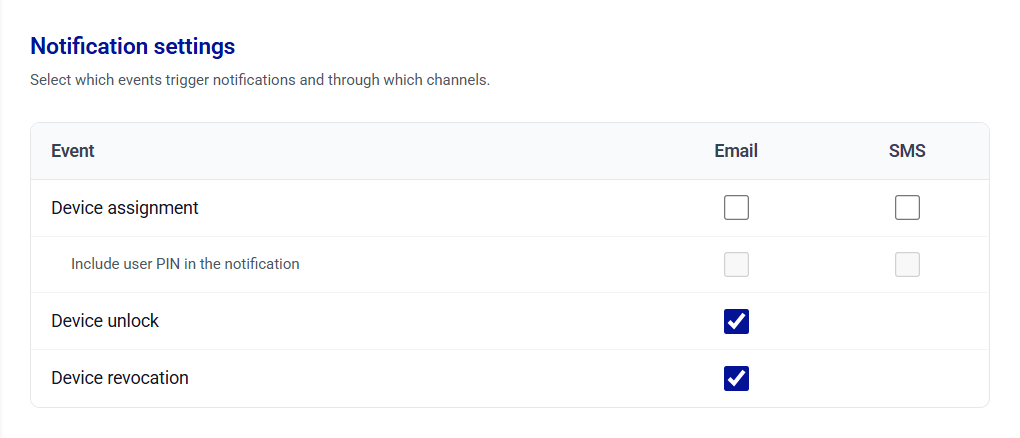
Perform the following steps to configure notification settings:
-
In the Notification settings table, select the check boxes for the events and channels you want to enable.
The following table shows the notification channels available for each enrollment operation.
Event Description Email SMS Device Assignment When a FIDO device is assigned to a user.
Note: select the Include user PIN check box to include the user PIN in the Email notification as per your organization's security policy.Supported Supported Device Unlock When a locked FIDO device is unlocked for a user. Supported Not Supported Device Revocation When a device is revoked for a user. Supported Not Supported 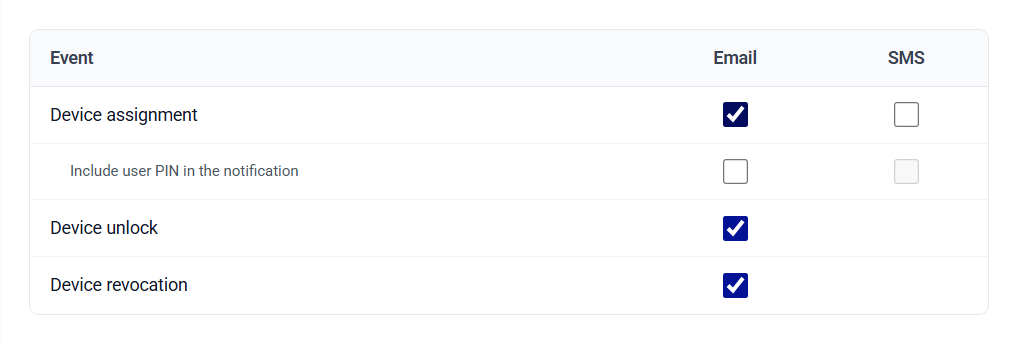
-
Click Save.

