



Front Locking Bezel
The locking bezel (pictured below) fits over the front of the CipherTrust Manager k470 or k570 Appliance for maximum physical access security. The purpose of the bezel is to:
-
cover the appliance's ports, and the power button,
-
lock the appliance to the rack to prevent removal.
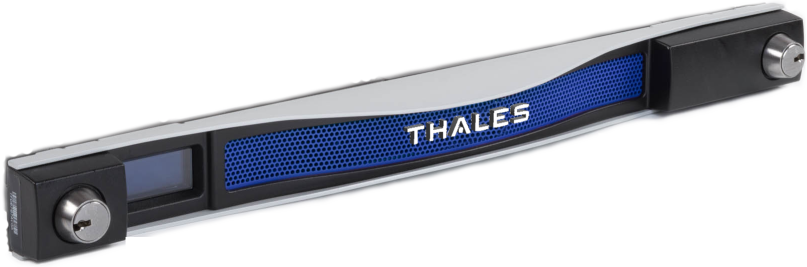
The locking bezel comes with three (3) keys for each lock. The locks are keyed differently so that keys can be issued to different security personnel and kept in secure, separate locations.
To lock the bezel:
-
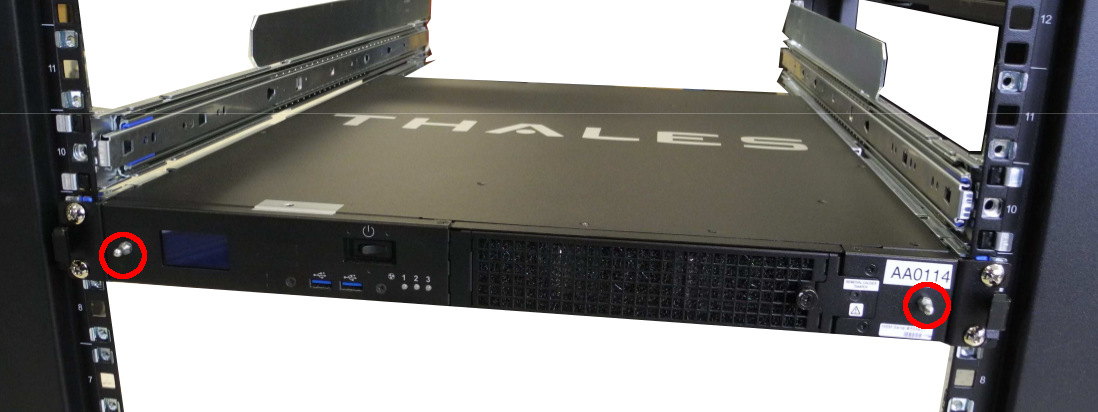
The locks fit over the posts highlighted below. Fit the bezel over the posts with both keys in the horizontal position.
-
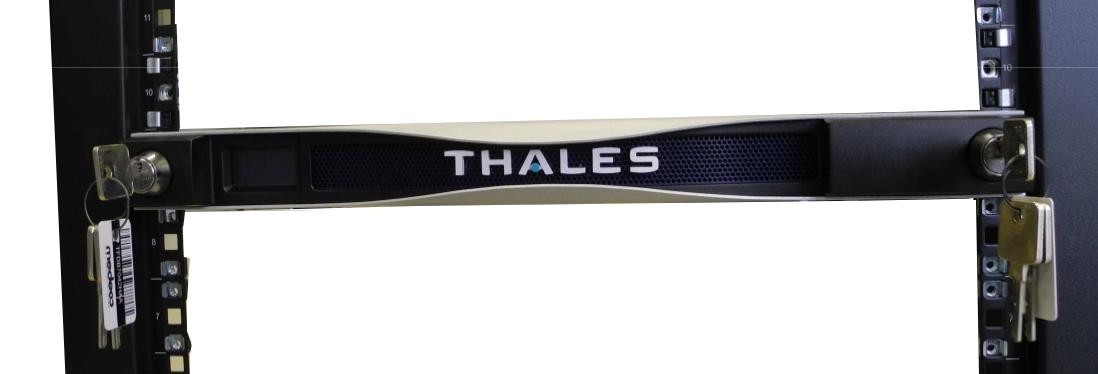
Turn the keys to the vertical position to lock the bezel.
-
Remove the keys and store them in a secure location.
Replacement Keys
To obtain replacement keys, contact Technical Support. Please have the lock serial numbers ready. You can find these numbers on the sides of the bezel by each lock.