Decrypt a Column
Prerequisite
Before decrypting a column, ensure the Migration Server is up and running.
Steps
To decrypt column:
-
Log on to the CipherTrust Manager GUI.
-
Click Database Protection to open the application. The Databases screen displays the list of existing database connections, if any.
-
Click the desired database connection.
-
Click the Tables link.
-
On the Authorize Database screen, enter the Database Password to access the tables.
-
Under the Tables with Encrypted Columns section, click the desired table. The list of columns is displayed.
-
Click Decrypt. The Decrypt < table name > wizard is displayed. Follow the steps to complete the setup.
a. Column Info
c. Preview SQL
Column Info
-
From the available options, select the column to be decrypted.
-
Click Next.
Add Data Settings
-
Enter the Batch Size in which you want to decrypt the data.
-
Click Next.
Review
-
If you want to modify any detail such as Column Info and Data Settings, click Edit, update the fields, and click Next.
-
Click Next.
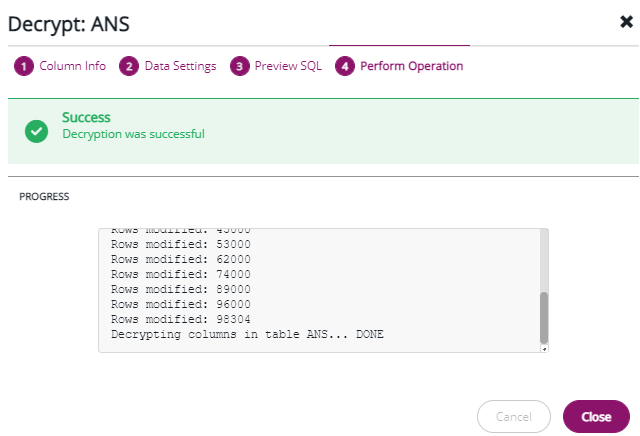
Perform Operation
The Perform Operation screen shows the progress of the operation. A message The column decrypted successfully. Close the window to return to the list is displayed on the screen. Click Close to exit the wizard.