



Managing Membership
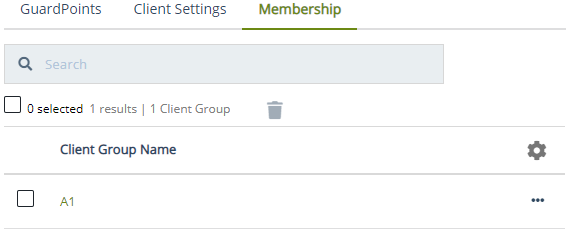
View and manage the client group memberships of a client on the Membership tab. This tab provides option to remove the client from a group.
Viewing Group Membership of a Client
To view the groups of a client:
-
Open the CTE application.
-
Click Clients > Clients.
-
Under Client Name, click the desired client.
-
Click the Membership tab. This tab shows the groups the client is a member of.
Removing a Client from a Client Group
To remove a client from a group:
-
Open the CTE application.
-
Click Clients > Clients.
-
Under Client Name, click the desired client.
-
Click the Membership tab.
-
Select the group from which you want to remove the client.
-
Click the overflow icon (
 ) corresponding to the desired client.
 -
Click Remove.

